
Time tracking for teams that bill by the hour. Nothing else.
Clients, projects, tasks, bill rates, timesheets, approvals and reports that reconcile to the cent. No AI, no monitoring, no fees on how many projects you have.
See it
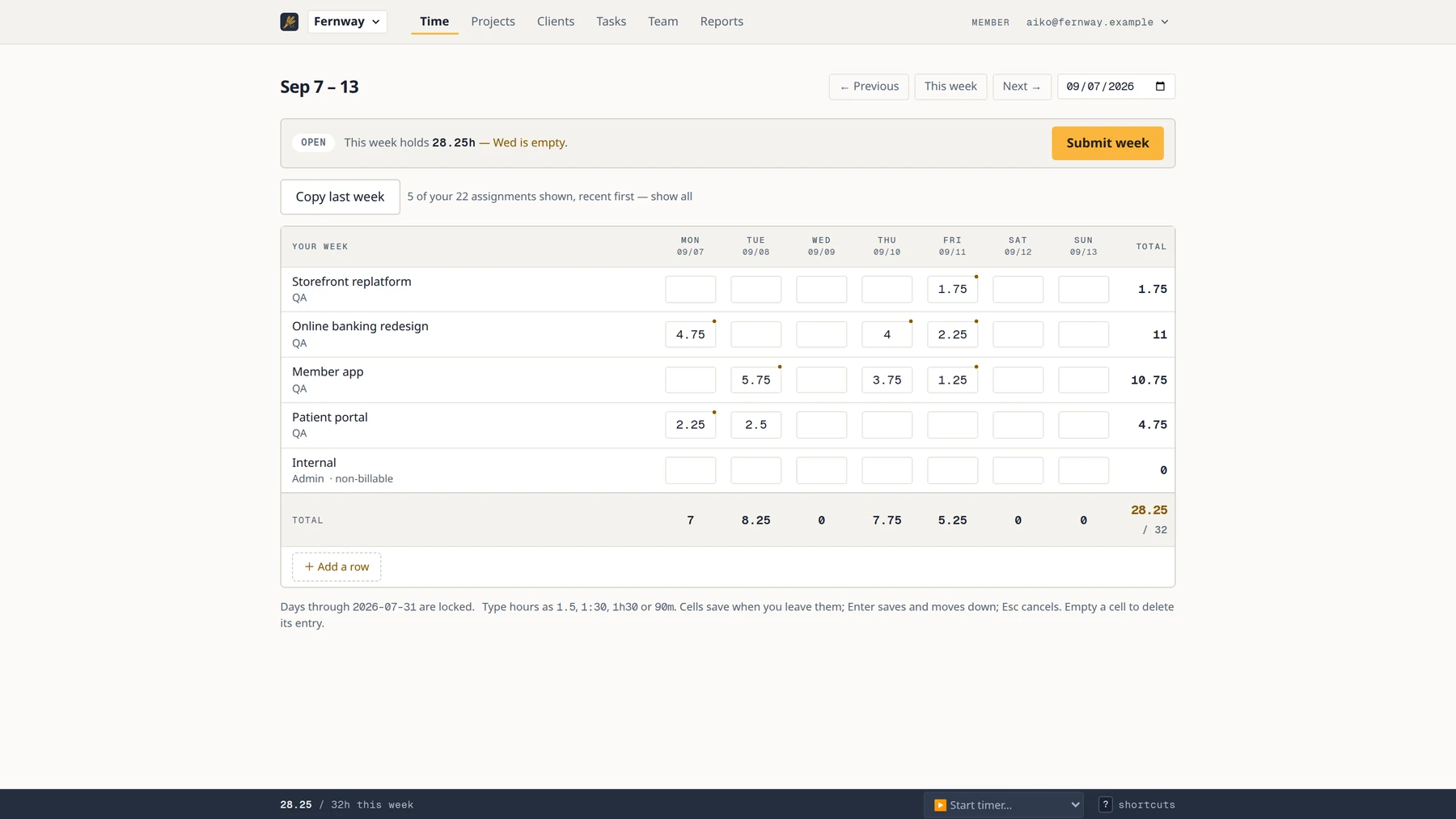
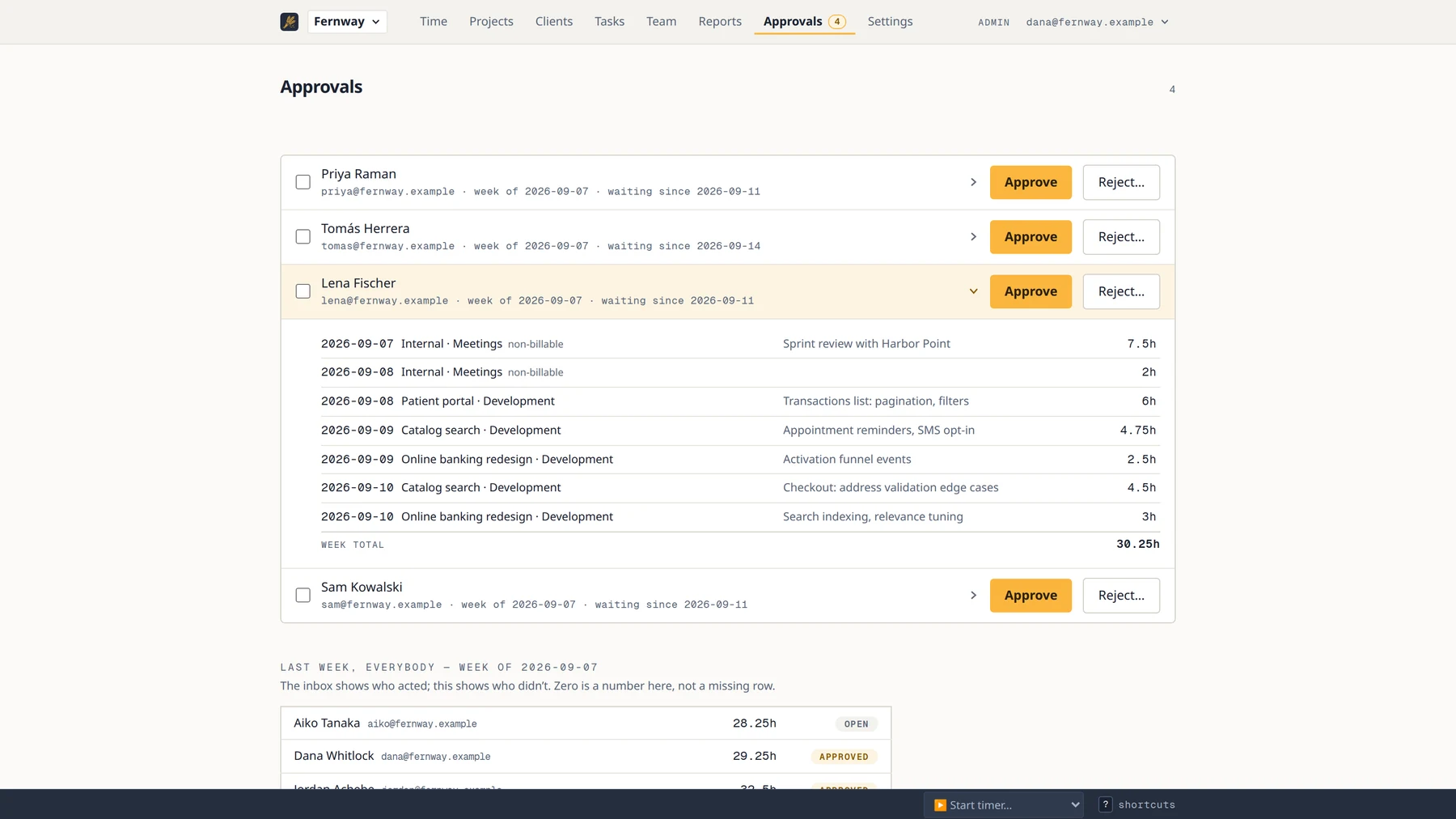
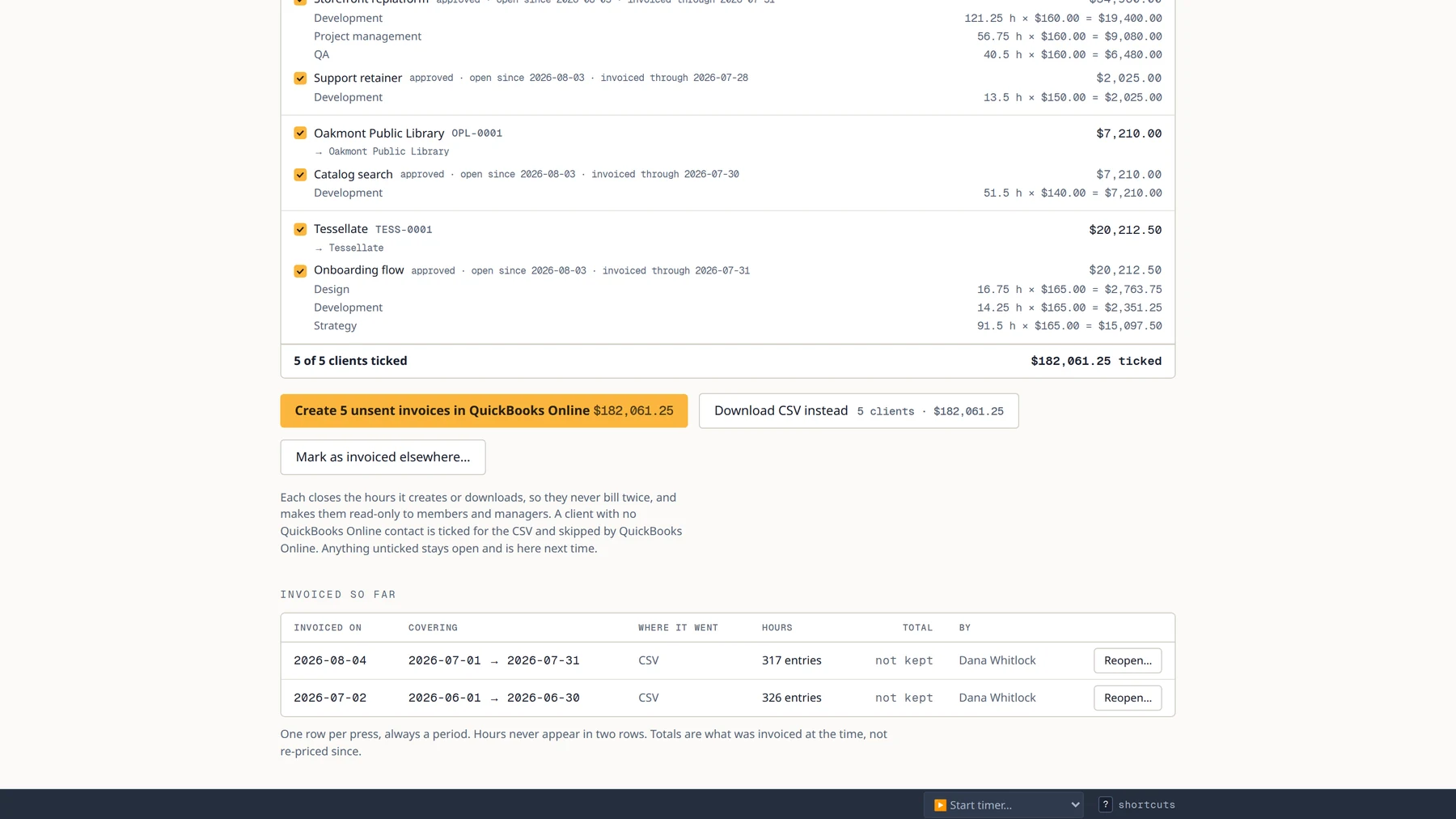
Ninety seconds of the real product: a week logged, approved, priced and exported.
The honest comparison
Winnows deliberately does less. If you need what’s on the right, you need a bigger tool — and that is fine.
Winnows has
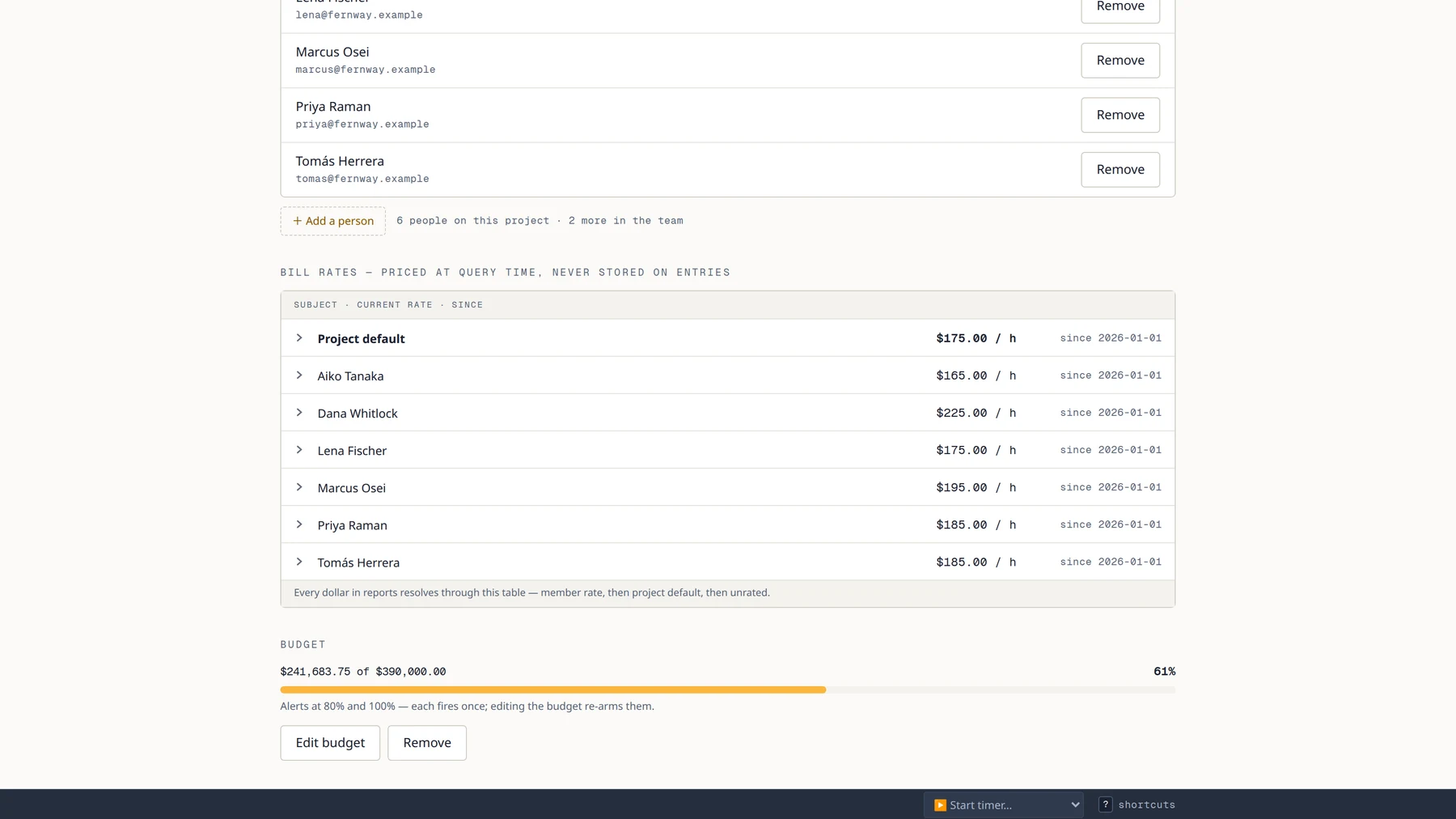
- ✓ Clients → projects → tasks (Harvest-shaped)
- ✓ Member × project bill rates, effective-dated
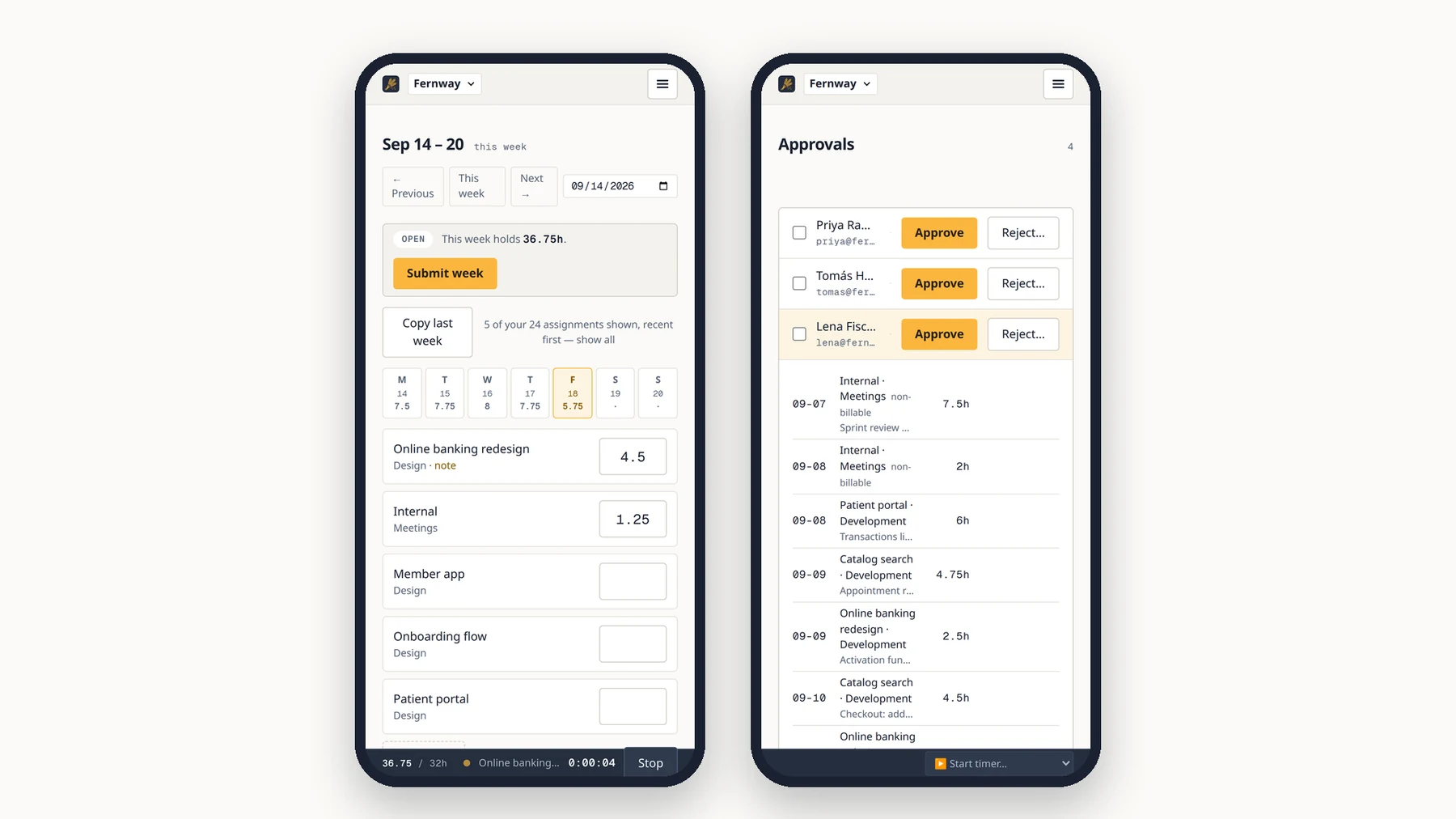
- ✓ Week-view timesheet + running timer
- ✓ Approvals-lite and a payroll lock date
- ✓ Reports that reconcile to the cent + CSV everywhere
- ✓ Invoices created in QuickBooks Online or Xero, or a CSV
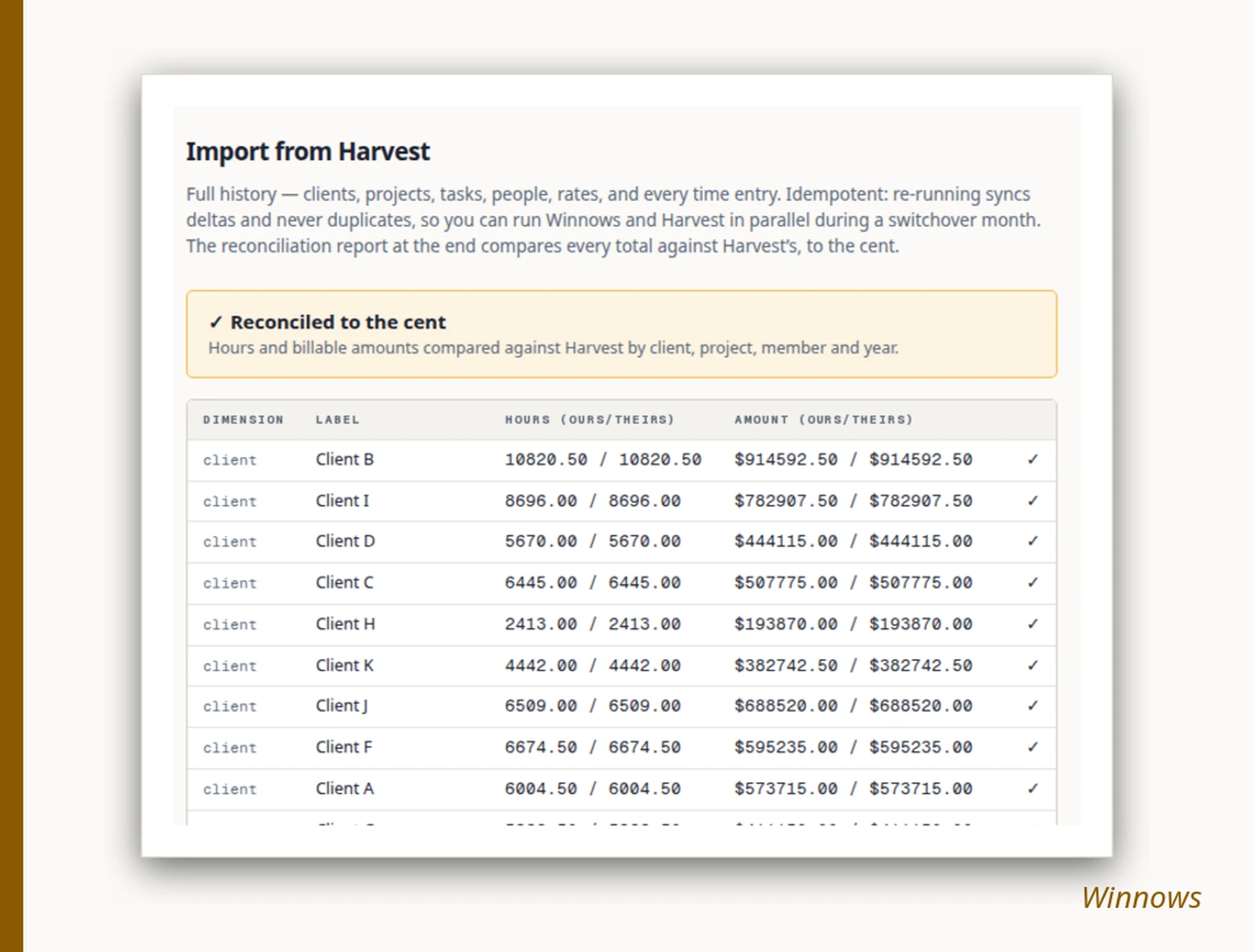
- ✓ Full-history Harvest importer with a reconciliation report
- ✓ Read-only reports API
Winnows does not have
- — Sending invoices (they are created unsent; your accounting tool sends)
- — Estimates, expenses, payments, retainers
- — Native mobile apps (responsive web + PWA)
- — A browser-extension timer (coming, not promised with a date)
- — SSO/SAML, integrations marketplace
Free for two people
A freelancer and a partner run Winnows free, forever: bill rates, dollar reports, approvals, every export and the API, one active project at a time. Wrap a project, archive it, start the next; the history stays. Three things move you to the paid plan: a third active member, a second project at once, or invoices created straight in QuickBooks or Xero. Then it is $9 per active member per month, flat.
What would your team cost?
Winnows
$135/mo
Flat. No usage fees, ever. Archived members free.
Harvest Teams (published, monthly plan)
$165/mo + usage
$11/seat on a monthly plan like ours ($9/seat if billed annually), plus usage-based fees on projects, clients, invoices and tasks — we can’t know yours, so we won’t invent them.
What changed at Harvest in 2026
Harvest’s published 2026 pricing moved from flat per-seat to a per-seat base plus usage-based fees on projects, clients, invoices and tasks (Teams at $11/seat/mo on monthly billing, $9 billed annually; Enterprise from $14). Third-party analyses report renewal increases ranging from modest to many-fold on legacy accounts. Sources: Harvest pricing, Productive, TrackingTime.
Winnows’ answer is structural, not promotional: flat per-seat, monthly, no usage fees ever — it is a product constraint, not a marketing choice.
Why not Toggl or Clockify?
They are excellent stopwatches. Winnows is the Harvest-shaped operating layer: the client → project → task model your books already mirror, member×project rates with effective dates, a full-history importer, and reports whose dollars reconcile to the cent against your old Harvest numbers — proven at import time, on your own data.
Questions people ask before switching
- What does Winnows cost?
- Free for 2 people and 1 active project. Beyond that, $9 per active member per month, month to month. Archived members are free and there are no usage fees on projects, clients, tasks or invoices. Creating invoices directly in QuickBooks or Xero is on the paid plan; the invoice-ready CSV is on every plan.
- Can I import my Harvest data?
- Yes — the whole account: clients, projects, tasks, people, bill rates and every time entry, with full history. The import ends with a reconciliation report that compares every total against Harvest's, to the cent, by client, project, member and year, so you can check before you cancel anything.
- Does Winnows do invoicing or expenses?
- It stops short of sending one. Approved hours become an invoice in QuickBooks Online or Xero, created unsent, and your accounting tool does the tax, the sending and the payment. The same lines also export as a CSV. Winnows has no expenses, estimates, payments or retainers.
- Does Winnows use AI or monitor my screen?
- No AI features, no screenshots, no keystroke counts, no activity scores. A timesheet is a record you keep, not something that watches you.
- What happens to my data if I leave?
- Full-fidelity CSV export and a read-only API at all times, and 90 days of export access after you cancel. It is written down as an exit guarantee.
- Is there a seat minimum?
- No. One person can use it free; a team pays only for active members.
Leave whenever you like
Month-to-month. Full-fidelity CSV export and a read-only API at all times, and 90 days of export access after you cancel. Your data is yours; holding it hostage is the complaint that made this product exist.
No AI. No screenshots of your desktop, no keystroke counts, no “activity scores”. A timesheet is a record you keep, not a thing that watches you.